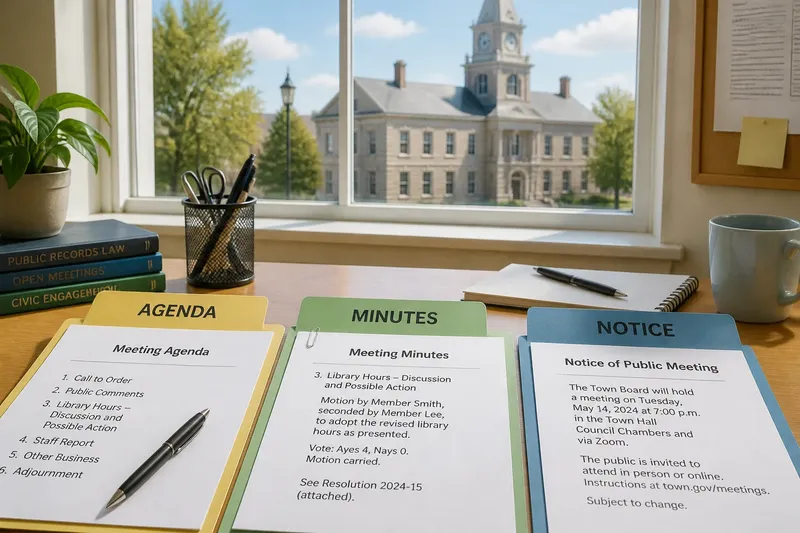
From Public Noticeboard to Digital Record: How Access Changed
From public noticeboard to digital record, access has changed how people find institutional information—and what to check when a document is hard to understand.
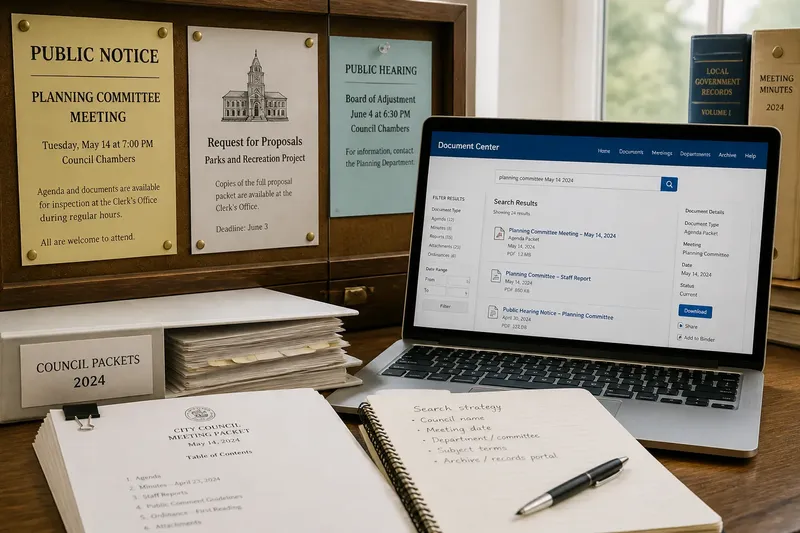
The familiar mistake with a public notice is to assume that finding it means you have found the whole record. The noticeboard may show a meeting date while the supporting papers sit in a paper file, an archive, or a web page with a different title. Moving public information online has made many records easier to locate, but it has also changed where people get stuck.
From public noticeboard to digital record, the history is less a clean handoff than a growing set of channels. Physical displays and printed circulation gave way, unevenly, to scanned documents, searchable databases, and pages that link records across time. Understanding that shift helps you work out what to try when the information you need seems incomplete.
Public noticeboards made access local and visible
For a long time, a person looking for an official announcement often had to know where it would be displayed: a town hall, library, courthouse, or another public building. The notice was visible to people who visited that place, and its physical setting gave a clue about the institution responsible for it.
That arrangement had a practical strength: the information was presented in a shared public space. Its limits were just as plain. Someone who lived far away, could not visit during opening hours, or arrived after a notice had been replaced might not see it at all. Finding a notice could also take a local tip or familiarity with the building.
When a noticeboard appears to be missing something, first ask whether it was only meant to announce an event or also to display its supporting papers. A short posting may have pointed readers toward a clerk’s office or a printed packet elsewhere.
Printed circulation extended the record beyond the wall
Printed notices and document packets let institutions distribute information beyond a single display. A person could keep a copy, pass it along, or consult a collection of public material without standing in front of a board. Libraries, offices, and local publications could serve as additional points of access.
But print also depended on circulation. A packet might be available only at a particular office, while a newspaper notice could be separated from the papers it described. Copies could be filed under an unfamiliar department name, and older material could become hard to retrieve once a new issue or meeting replaced it.
If a printed reference names a document but you cannot locate it, use the issuing office, subject, and meeting date as separate search clues when asking staff or checking a catalog. A record may be filed by the body that produced it rather than by the topic a reader remembers.
Digital publication changed what readers could search
Institutional websites and document repositories changed the first move from traveling to a building to searching a page. A reader can often reach notices, agendas, minutes, reports, and archived material from different places, then use a search box or browser tools to locate a name or phrase.
That convenience depends on how the record was published. A born-digital document may contain selectable text, while a scan can behave like an image and yield no useful search results. A web page may also index a document under a committee name that differs from the language used in a local conversation.
Imagine you are looking for a council packet mentioned in a neighborhood email. Searching the exact phrase returns nothing, so you try the council name, the meeting date, and a broader subject term; the likely result is a page or file you can inspect, rather than proof that the packet was never posted.
When an online search fails, vary the terms before treating the absence as meaningful. Try the institution’s formal name, a department, a place, and a date range, then check whether the site has a separate archive or records portal.
Searchability does not make a record self-explanatory
A searchable file can still be difficult to interpret. A notice may use a procedural term without explaining it, an attachment may be detached from the page that introduced it, or a long record may contain several versions of a proposal. Digital access improves discovery, but readers still need to identify what a document is and how it relates to other records.
Start with the visible details: the issuing body, document title, date, and any labels such as draft, attachment, or revised. Then look for links to the meeting or proceeding the file belongs to. Those details help distinguish a notice announcing an event from a record that captures discussion or an institutional action.
If a PDF opens but its words cannot be selected, look for an accessible text version or ask the issuing office whether another format is available. Avoid assuming that a failed keyword search means a name or issue is absent from the document.
Digital archives create new problems of context
Online records can remain available after the original notice has disappeared from a wall, but an archive may scatter related items across different pages. One meeting’s notice, attachments, minutes, and later revisions might each have their own entry. A search result can also lead to an older copy without making its status obvious.
To reconnect scattered records, note the institution, committee or department, meeting date, and file title before opening more links. Compare dates and labels across the documents, and check whether a page identifies the file as current, superseded, draft, or archived.
Say you find two files with similar titles and different dates. You record both dates, open the page that links them to the same committee meeting, and check their labels; you can then tell which file belongs to that record without treating the newest-looking title as automatically authoritative.
What should you try when a public record is hard to find?
Why does a website search return no result?
The search tool may index only page titles, or the record may use a department’s formal name instead of the phrase you entered. Search with alternate terms and dates, then check the archive or records section directly.
What if a PDF cannot be searched?
Some PDFs are scans rather than text documents, so a keyword search may not detect their contents. Look for a text version, use the page’s document details to confirm you have the right file, or ask the issuing office for an accessible copy.
How can you tell whether a file is the current record?
Check its date, status label, and the page or meeting entry that links to it. If the relationship between two versions remains unclear, ask the records office which file is maintained as the official copy.
What should you do if the online archive looks incomplete?
Record the institution, subject, and approximate date, then contact the office responsible for the material. Some records may be held in a different collection or available through a public access process rather than the site’s general search.
Access still depends on the route a reader can use
The move from public noticeboard to digital record has multiplied ways to encounter institutional information. A person may first see a paper posting, follow a printed reference, search a website, or request a record from an office. These routes can overlap, and the same document may be represented differently in each one.
For a useful search, keep a small note of what you tried: the institution’s name, alternate terms, dates, and any file titles. If online materials remain unclear or unavailable, a direct request can help identify the right collection or format; local rules and the institution’s own procedures determine how records are provided.
The practical benefit of digital access is not that every record explains itself. It is that readers can often follow more paths toward the source—and can ask sharper questions when those paths stop short.